
Stop hunting through your inbox
Keep confirmation numbers, dates, providers, and trip details connected to the journey they belong to.
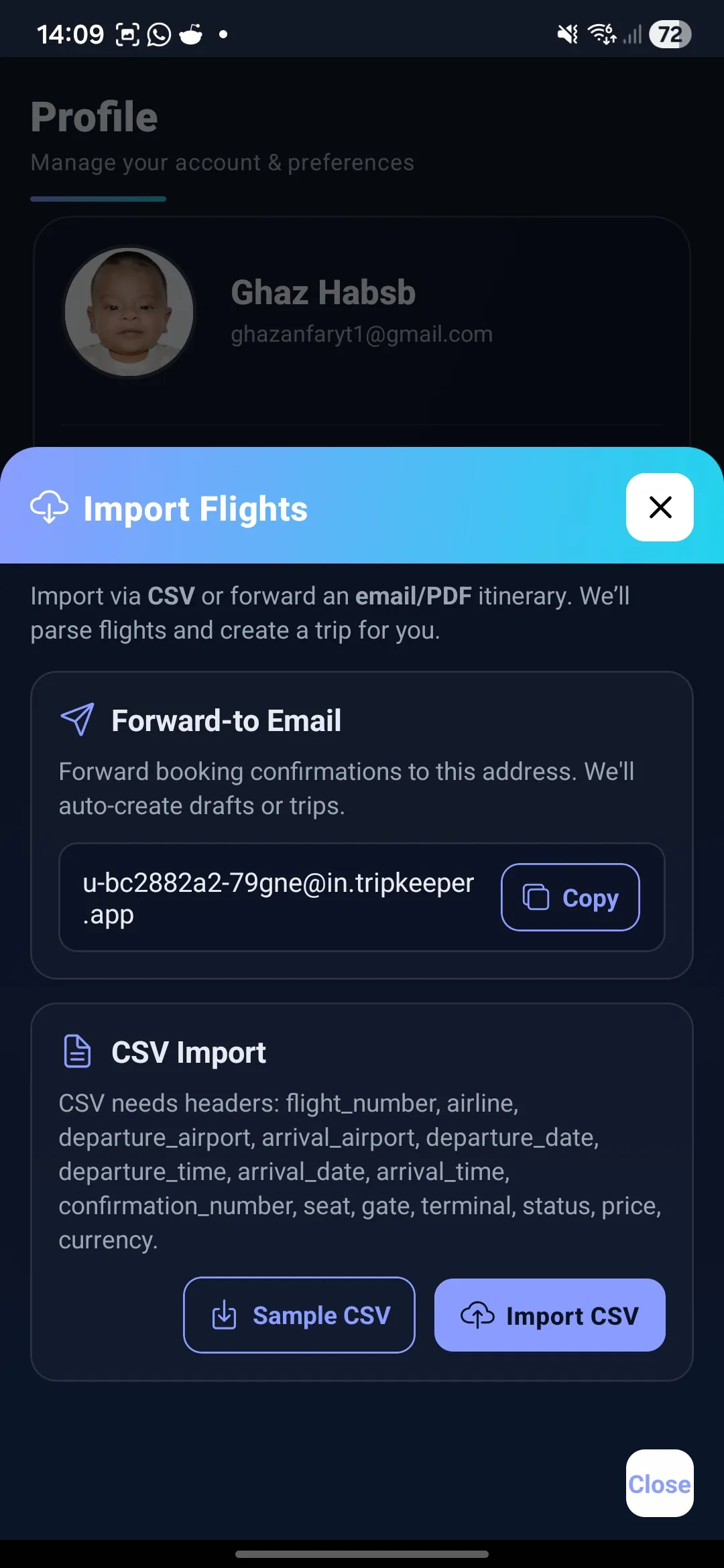
Use TripCache Pro Email Import with supported travel confirmations to create reviewable trip drafts for flights, hotels, rental cars, trains, and tickets.
Email Import is part of Pro and includes a monthly import allowance. It works with supported booking confirmations; review each draft before saving. Cancellation reminders, documents, and exports are free on every plan.
Keep confirmation numbers, dates, providers, and trip details connected to the journey they belong to.
TripCache is organized around confirmed travel, so your itinerary starts from the emails you already receive.
Attach confirmations, PDFs, receipts, and notes so the details are ready when plans change.
TripCache is built for travelers who already have real bookings and need a calmer way to manage what happens after the confirmation arrives.
travel email organizer
With Pro, forward a supported hotel, flight, rental car, ticket, or reservation confirmation, including attached PDFs or screenshots, to your TripCache address.
TripCache organizes the booking details into a trip item that you can confirm or edit. When the confirmation states a free-cancellation deadline, the draft includes it.
Your bookings, reminders, documents, and expenses stay grouped by trip instead of scattered across apps.
Explore the related feature, comparison, calculator, or guide without losing the post-booking context.
Read the confirmation-email guideClear answers for travelers comparing tools and building better travel organization workflows.
Pro Email Import works with supported confirmations for flights, hotel stays, rental cars, trains, buses, ferries, parking, events, tours, and restaurant reservations. It also reads attached PDFs and screenshots. Review each draft before saving.
No. Email import is part of TripCache Pro and has a monthly allowance. On the free plan you can add bookings by hand or scan a boarding pass, and cancellation reminders work on both plans.
No. TripCache focuses on turning confirmed bookings and travel documents into an organized trip timeline.
Yes. You can review details, add notes, attach documents, and keep the itinerary useful as plans change.
Trip to
Free on iPhone and Android, with reminders, documents and exports. Add Pro for email import and live flight alerts.

